I-LEAD Password Reset


To reset your I-LEAD password, please utilize the instructions below:
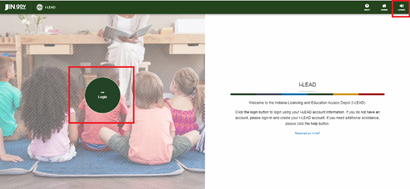
- Navigate to ilead.in.gov
- Click on the green LOGIN button on the left side of the screen or the upper right corner.
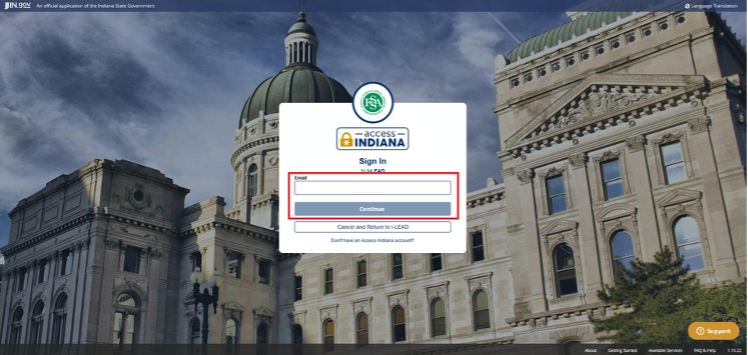
- You will be re-routed to the Access Indiana log-in page. If you have created an Access Indiana account with the same email address as your I-LEAD account but do not recall the logins, enter the email address, click Continue and use the "Forgot Your Password?" button. If you never made an Access Indiana account with this email, create an Access Indiana account instead using this step-by-step guide.
Note: If you have an account but receive notifications that your account does not exist, clear cookies and cached images on your device and try logging in before resetting your password.

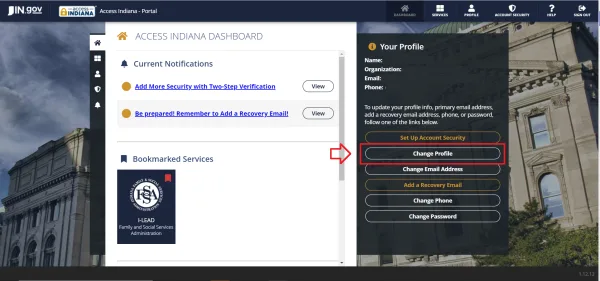
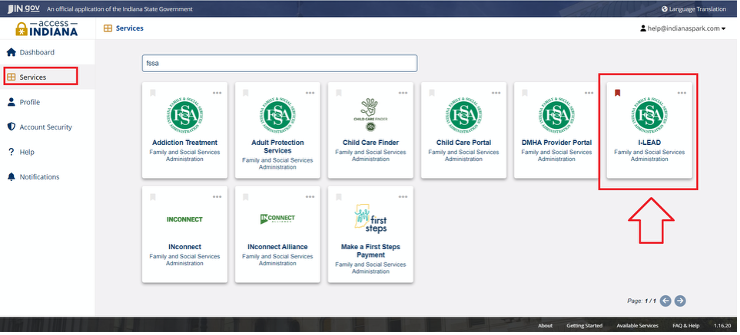
- Once you reset your password using the instructions in Step 3, you should be automatically rerouted to I-LEAD. If not, click Services in the upper right-hand corner to locate the I-LEAD tile. You can also search for it using Search Services
by typing in “FSSA.” Select "I-LEAD: Family and Social Services Administration."
If you have any additional questions or concerns, click on the Support widget on the bottom right or contact the OECOSL Child Care Support Line at 1.800.299.1627.