Updating Profile on Access Indiana and I-LEAD
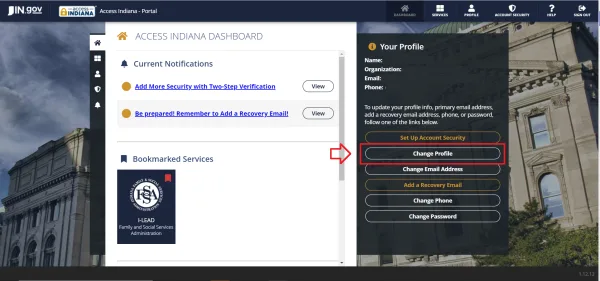
If you change your name or email address, you can update this information in both Access Indiana and I-LEAD. Before it can be changed in I-LEAD, please do the following:


If you change your name or email address, you can update this information in both Access Indiana and I-LEAD. Before it can be changed in I-LEAD, please do the following:
Changing a Name on Access Indiana
Note: For your information to update on I-LEAD, proceed to the next set of instructions.
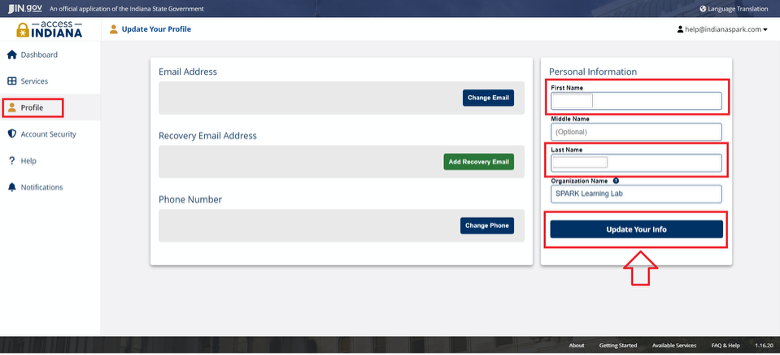
Changing a Name on I-LEAD
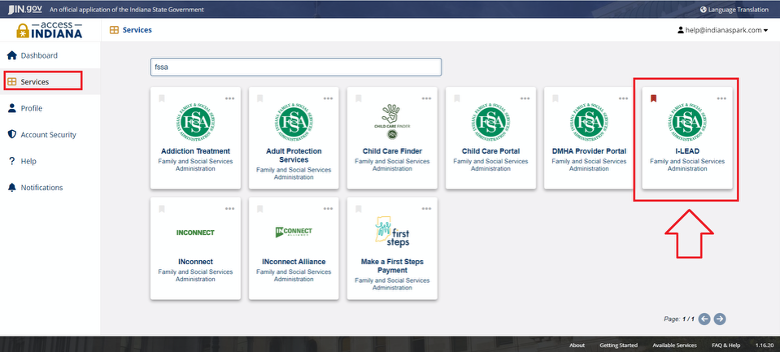
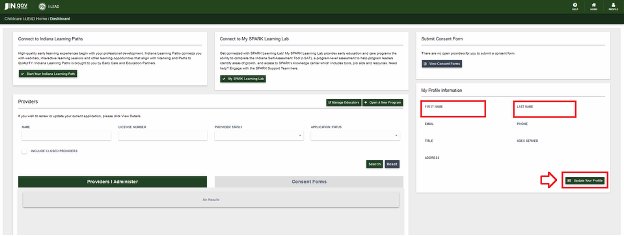
Note: The "I am an Educator" button is used to merge with existing training records and consent forms for previous providers. If you aren't able to merge with your current name, you may need to temporarily change your name in the First Name and Last Name sections. Then update your profile before completing a consent form. The emails used on I-LEAD and Access Indiana should be used exclusively by one person so that permits, licenses and consents are not confused with someone else’s information.
Changing Your Email
If you wish to change your email on I-LEAD or Access Indiana to an email that's not already in the system, you can use the Profile section to update your contact email. If the email address already has its own Access Indiana account, use “Forgot Your Password?” instead of changing the email to avoid authentication errors.
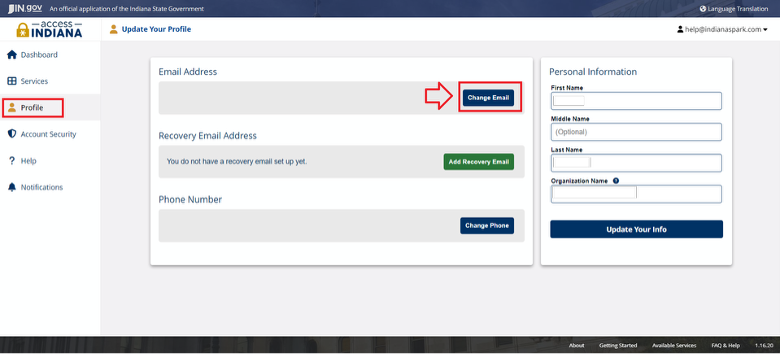
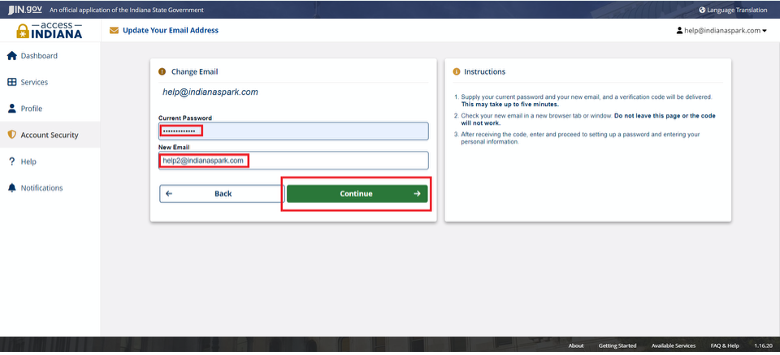
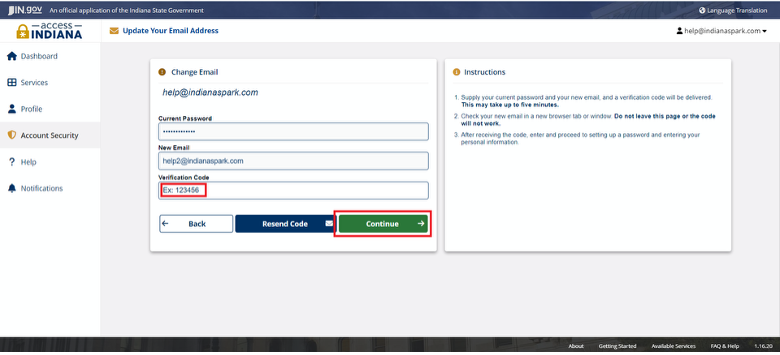
Note: If you do not have access to your license, you may have logged in to Access Indiana with the wrong email address. Rather than change the existing email address to match your former I-LEAD email, please log out and use the "Don't have an Access Indiana Account?" button instead to create an account that matches the one on file for your license. After doing so, you should have access to the Opportunities portal, licensing applications, invitations and manager view on Indiana Learning Paths. If you wish to grant access to the license via an existing Access Indiana account, send an admin invitation to your new email.
Authentication Failed
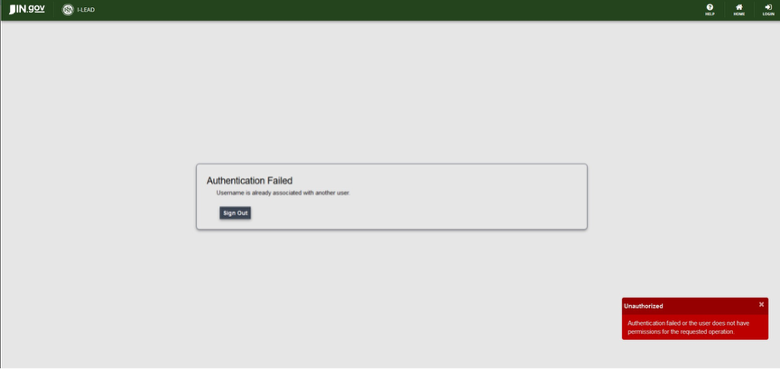
If you changed your email address and see the above screen, you need to change your email address back to the original email. This error message appears because you changed your email to one that already existed in the system. Once the email address is changed back to the original email address, you can log out of that account and create or reset the password for the other account. If you still experience problems with your I-LEAD account afterward, call 1.800.299.1627 for technical assistance.
Two-Step Verification
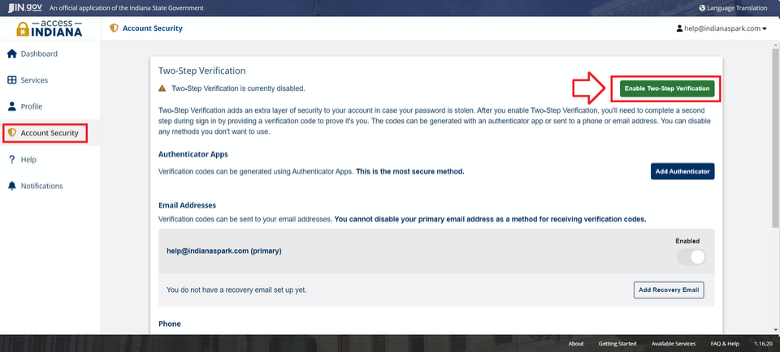
When you log in to your access.in.gov accounts, you can enable two-step verification to receive a verification each time you log in, or you can remove the feature. Simply go to the Account Security section to enable/disable the two-step verification.
(Please use the Instructions for Adding an Authenticator to your Access Indiana Account steps found in the following article: https://www.in.gov/access/getting-started/.)
Need Additional Help?
For additional questions or guidance, contact 1.800.299.1627 for assistance.